Marketing Tip: Give Your New Business a Strong Start With Google Business Profile
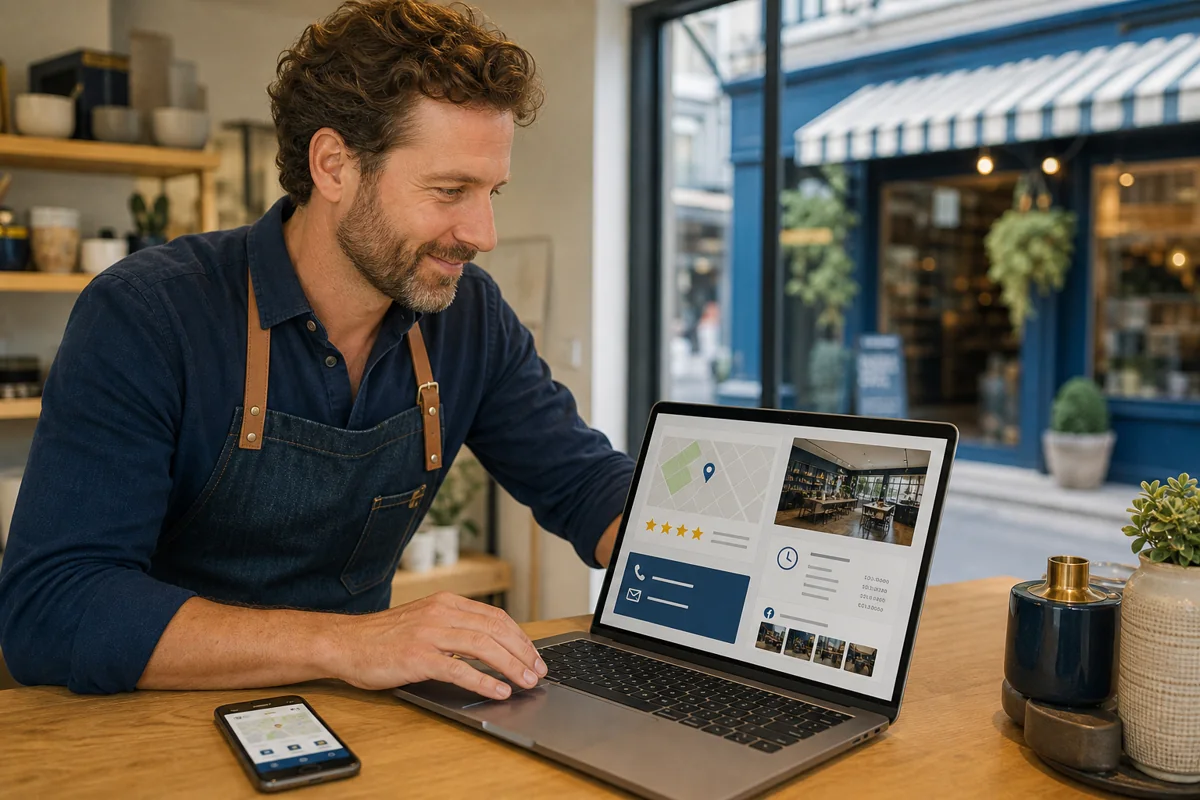
Starting a business means introducing yourself to customers who may not know your name yet. One of the most useful places to begin is a Google Business Profile.
A Business Profile lets an eligible company manage how important details appear across Google Search and Maps. Customers can use it to find a phone number, website, address or service area, business hours, photos, and reviews. Google offers profiles at no charge, making this a practical first step before a new business commits to a larger advertising plan. You can learn more in Google's official guide to getting started with a Business Profile.
Help local customers understand what you do
Imagine someone searching for a service in Chicago, Big Rapids, Grand Rapids, or another Michigan community. If the business has a complete, accurate profile, that customer can quickly see what it offers and how to contact it.
The profile should answer the basics:
- What is the exact business name?
- What category best describes the primary service?
- Where does the business operate?
- When is it open or available?
- What phone number and website should customers use?
- What products or services can customers expect?
Completeness matters because Google says local results are primarily influenced by relevance, distance, and prominence. Accurate, detailed information helps Google understand the business and match it with relevant searches. There is no way to request or pay Google for a better organic local ranking. Google's own recommendations are summarized in its guide to improving local ranking.
Claim and verify the right profile
Before creating a new listing, search Google for the business name and location. A profile may already exist. If it does, an authorized representative can request control. If it does not, the business can add one and complete Google's verification process.
Verification confirms that the person managing the profile is authorized to represent the business. Once verified, the owner can control key information shown to customers. Google explains the current process in its instructions for adding or claiming a Business Profile.
Use the business name exactly as it appears in the real world. Do not add cities, services, or promotional phrases to the name simply to influence search results. The address, phone number, website, branding, and hours should also agree with the information on the business's website and other public profiles.
Choose the correct location setup
A storefront business that receives customers at its location can generally display its eligible address. A business that travels to customers but does not serve them at its address should normally use a service-area setup and hide the address.
This distinction is especially important for new home-based businesses. A residential address should not be presented as a customer-facing storefront when customers are not served there. Google also does not allow a service business to present an unstaffed virtual office as a legitimate storefront.
Service areas should reflect where the company can realistically provide service, not every market it hopes to reach someday. Google currently allows service areas to be described using cities, postal codes, and similar geographic areas. Its official service-area guidance explains the applicable limits and setup choices.
Add evidence that the business is active
Customers want more than a pin on a map. Add current photos of the location, team, work, products, or customer experience where appropriate. Confirm regular and special hours, list relevant services, and review the profile whenever something changes.
Reviews can also help prospective customers understand what it is like to work with the business. Ask real customers for honest feedback without offering incentives or attempting to control what they say. Respond professionally to both positive and negative reviews. A thoughtful response demonstrates that the business pays attention.
Google specifically recommends keeping information current, responding to reviews, and adding photos and videos. Those actions do not guarantee a particular position, but they make the profile more complete and useful.
Connect the profile to a useful website
Google Business Profile and the company website should support each other. The profile provides a fast local snapshot; the website gives the business room to explain its services, experience, process, service area, and next steps.
Make sure the website link goes to a page that works well on a phone and immediately confirms that the visitor found the correct company. The name, phone number, address or service area, and core business description should be consistent.
If a radio or digital campaign promotes a particular offer, consider linking to a relevant landing page rather than expecting customers to search through the entire website. The destination should repeat the promise they heard or saw in the advertisement.
Treat the profile as an ongoing business asset
A Business Profile is not finished the day it is verified. Set a recurring reminder to check:
- Regular and holiday hours
- Phone numbers and website links
- Business categories and services
- New customer reviews
- Recent, accurate photos
- Suggested edits or profile updates
Google may combine owner-provided details with information from public websites, third-party data, and user contributions. Periodic review helps catch inaccurate or outdated information. Google provides more detail about how it sources and uses Business Profile information.
Start local, then build the rest of the marketing plan
A well-managed Google Business Profile can help a new business become easier to find and easier to trust, but it is one part of a complete marketing foundation. The profile, website, branding, reviews, advertising, and customer experience should all tell the same story.
If you are starting a business in Chicago or Michigan, reach out to Crown Media Service. We can help you establish a clear digital presence and coordinate the next steps across your website, branding, radio advertising, programmatic campaigns, and other marketing needs.
You do not have to build everything at once. Start with accurate information, a clear message, and a practical plan that can grow with the business.
Keep reading
Make Sure People Can Find and Understand Your Business Online
Visibility begins with accurate listings, a useful website, and consistent profiles that answer basic customer questions quickly.

What Is the 3-3-3 Rule in Marketing?
Use three seconds, three core messages, and three coordinated touchpoints to make a campaign easier to notice, understand, and remember.